Bodet BT 6.37 Flip Clock - Renovation and Slave Clock Control with ESP32
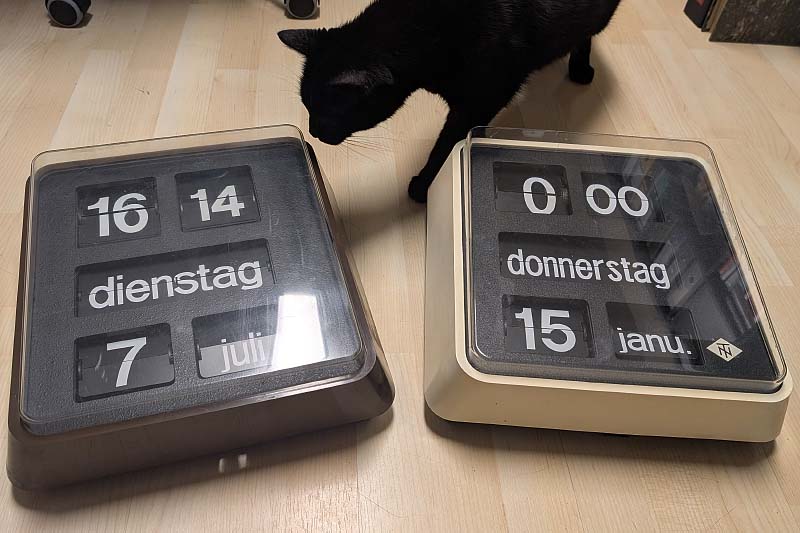
As I already hinted at in my article about the new slave clock controller, I was able to snag two Bodet type BT 6.37 slave clocks with date and day of the week at very reasonable prices. The clock with the white case comes from Germany, the brown version is from Austria.
As with the smaller Bodet flip clocks, the internal construction shows slight differences. One model features metal struts bolted with nuts, while the other model is made largely of plastic.
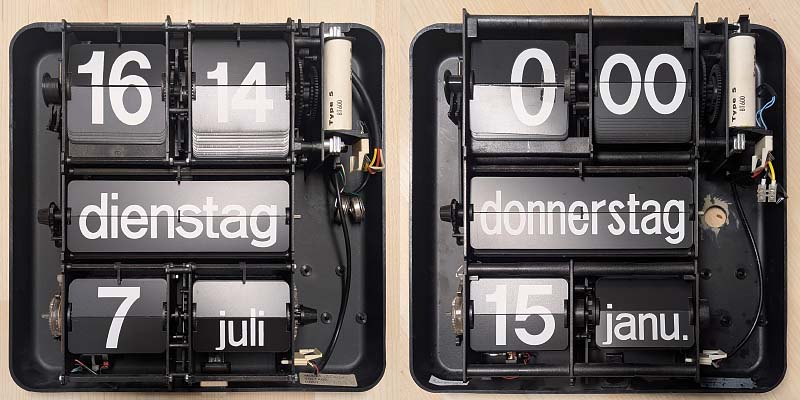
The mechanics are modularly designed, so that the module with the date or the day of the week can simply be placed under the time. This can be seen very clearly in the smaller model, the BT 6.30, where the middle part is simply missing. Apparently, there is also a BT 6.27 that only has the time and day of the week, but I have never come across this model.
Condition of the Clocks
The condition of the brown clock was generally very good, apart from a few scratches on the front. However, as with the last clock, the motor for the date display no longer worked. Since there is voltage at the motor, it must be due to the oxidized sliding contacts inside the motor.
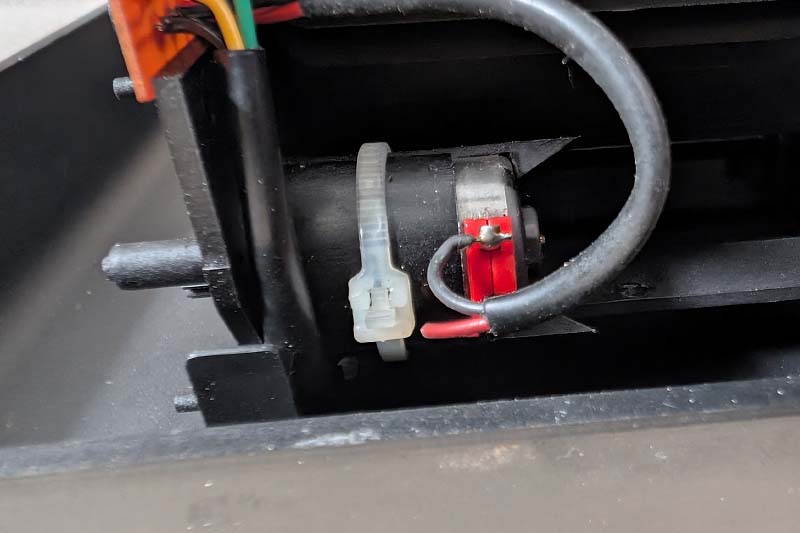
With this type of motor, the sliding contacts can be removed very easily by squeezing the holder. With some Kontakt 60 spray to dissolve the oxide layers and Kontakt WL spray for cleaning, the motor ran again without any problems.
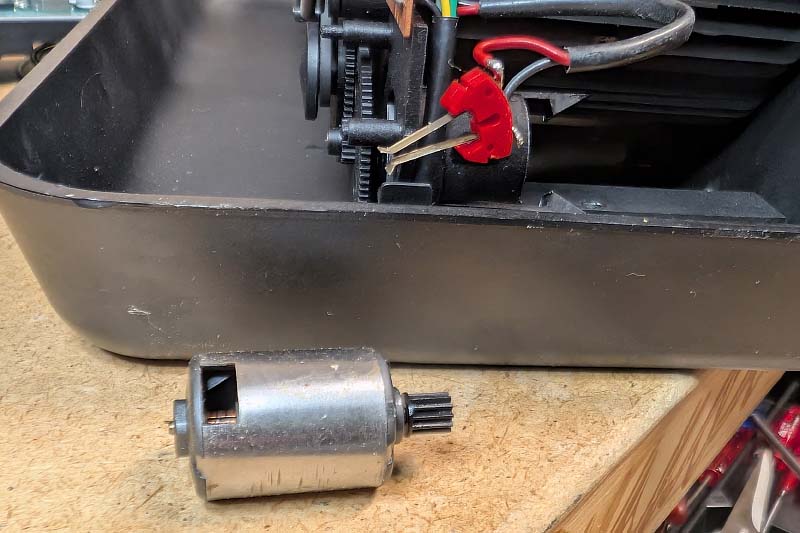
The date switching now works perfectly again:
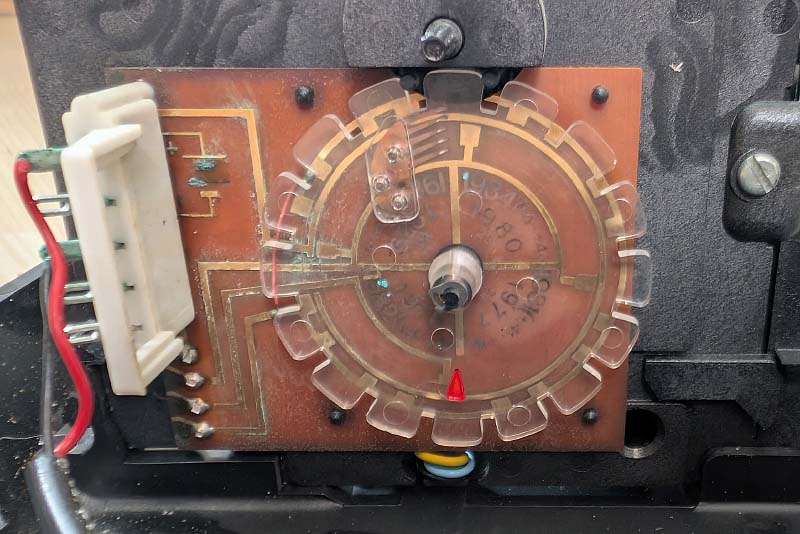
With the white clock, the situation was unfortunately quite different. There is verdigris on the coding disc for the date, and it seems a connection has already been repaired here once with a small piece of wire. An initial test also showed that the date does not function correctly for months with fewer than 31 days. Here, too, treatment with Kontakt 60 and Kontakt WL helped.
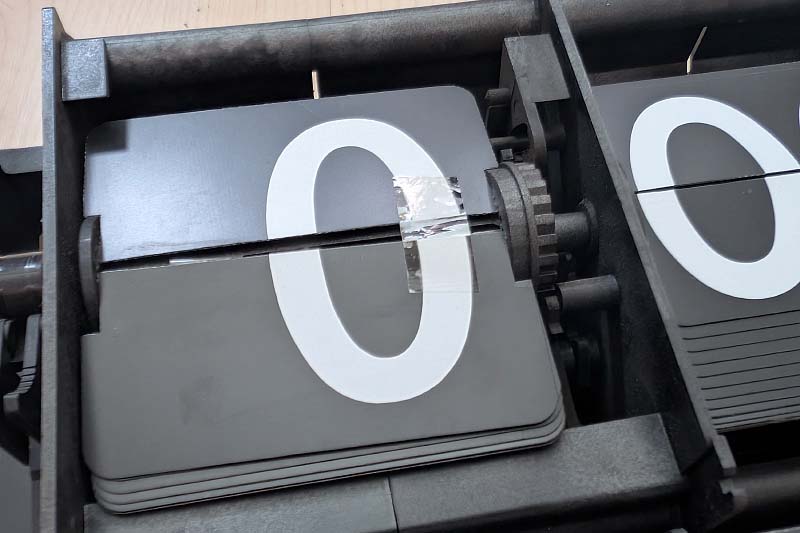
A much larger problem, however, existed with one of the flaps. Both lateral pins were broken off, and the flap was only held together with adhesive tape. I spent a long time thinking about what I could do here. One option would have been to replace the entire flap with a 3D-printed version. Ultimately, I decided on a different option.
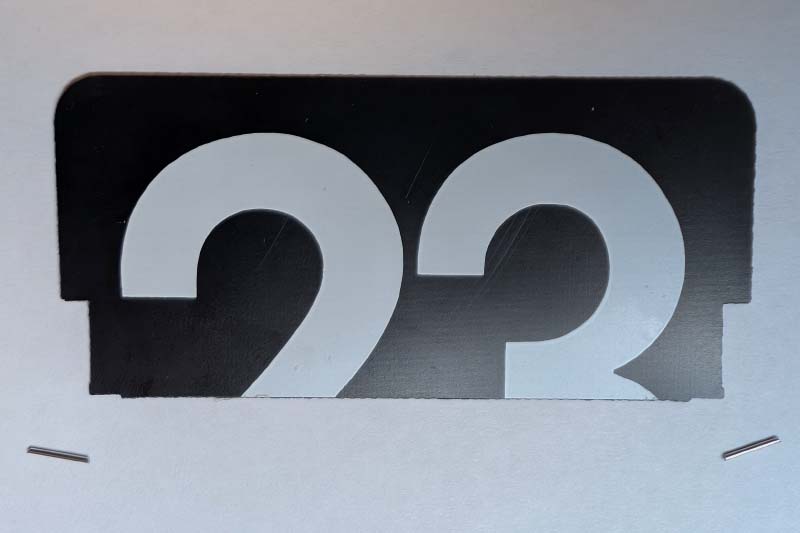
Using my Dremel, I first removed some material on both sides. I then clipped two small pins of the appropriate length from a sewing needle.
I then carefully glued these pins to the flap and let the whole thing dry for 24 hours.
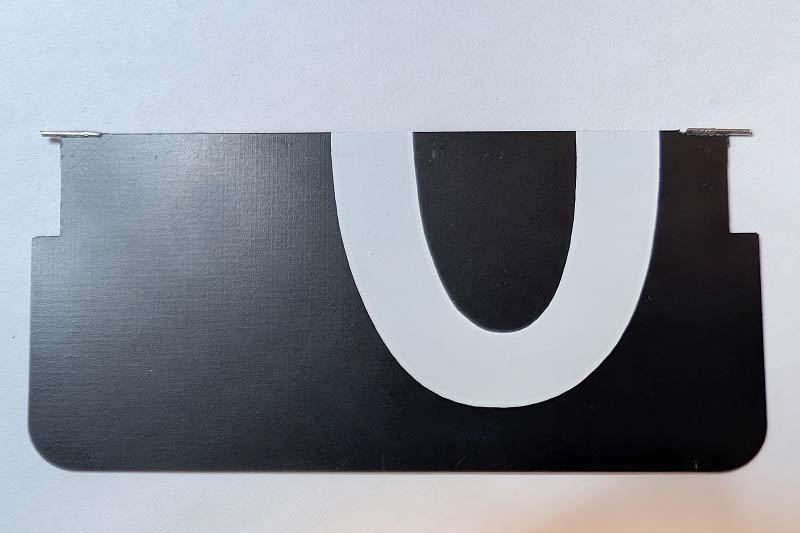
To make the repair less obvious, I painted the pins with a black marker.
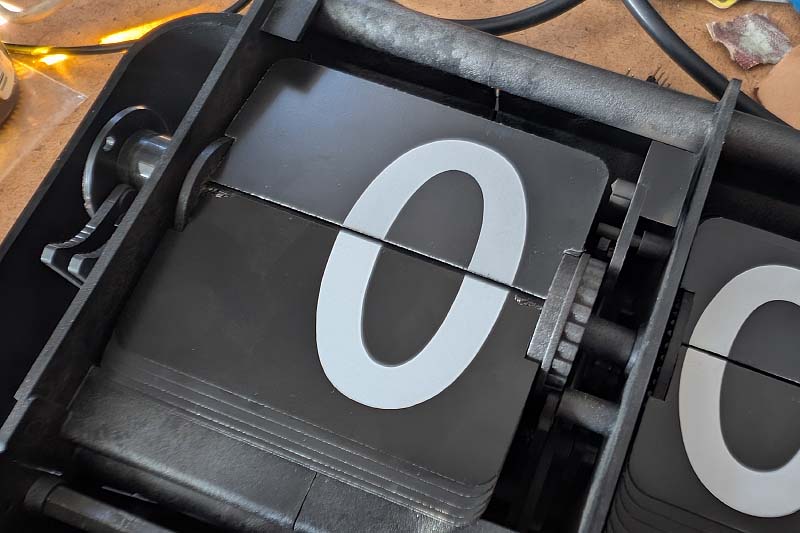
A quick test shows that the flap is falling again.
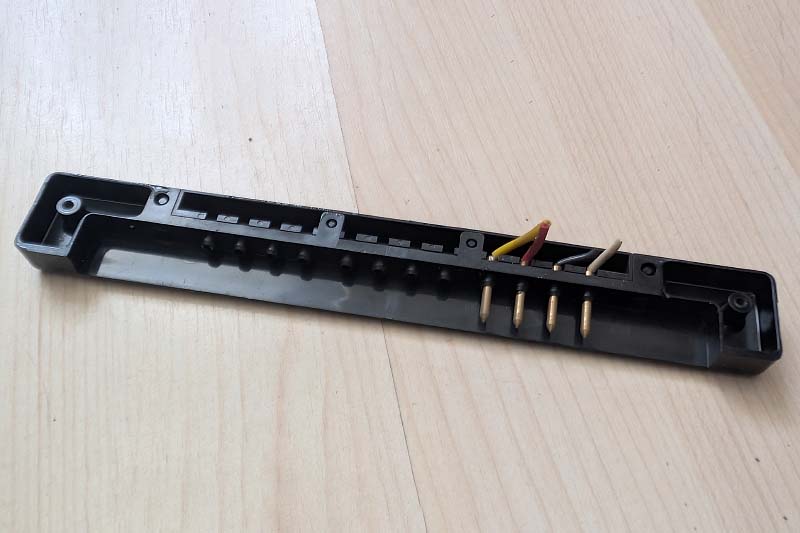
Another problem was that the rear supply lines had been cut off. I need these lines, however, as they provide power to the controller via the rear mounting bracket. To get to these lines, the clock must be removed from the case. For this, there are two tabs at the bottom of the case that must be carefully pressed down. Then the entire mechanism can simply be lifted out.
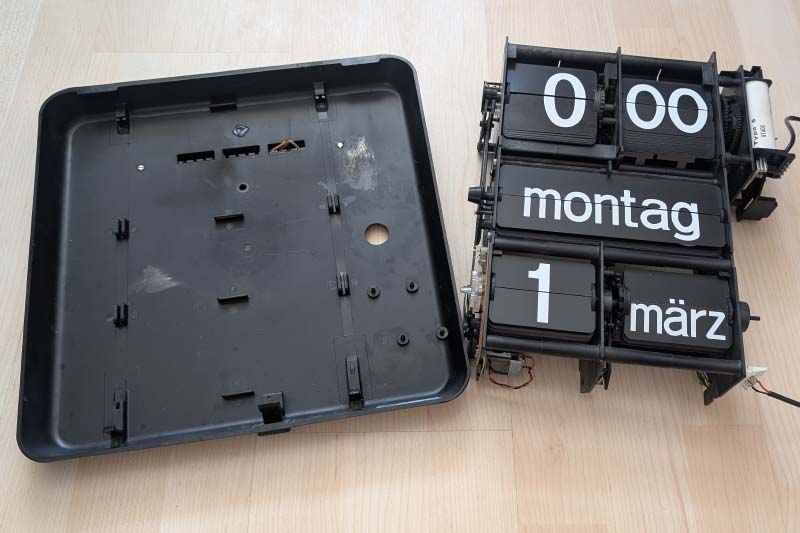
This provides access to the pin header, to which I then simply soldered new cables.
The case was also quite dirty, and normal cleaning agents did not help. I therefore sanded the entire case and polished it again. I also treated both fronts accordingly, which was by far the most time-consuming part.
Controller
Naturally, I installed my slave clock controller into these two clocks as well. These clocks are switched with 12 volts, so I first adjusted the voltage accordingly.
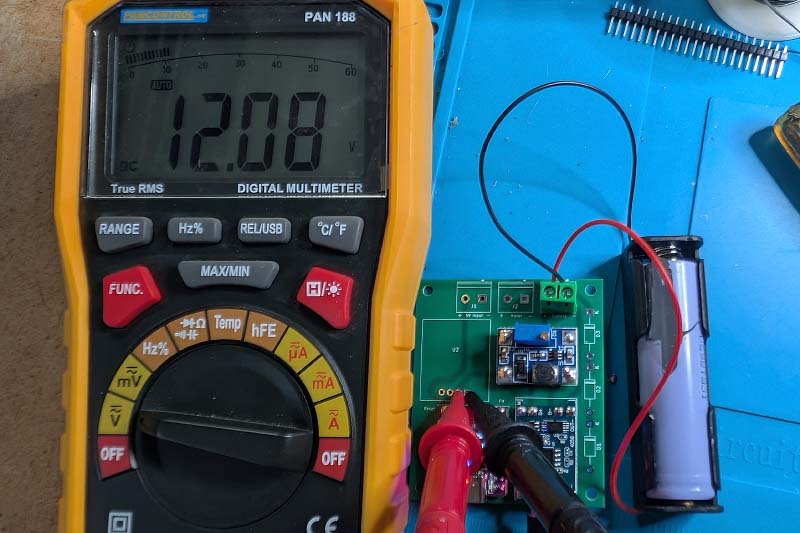
This is what the complete controller looks like with the battery holder.
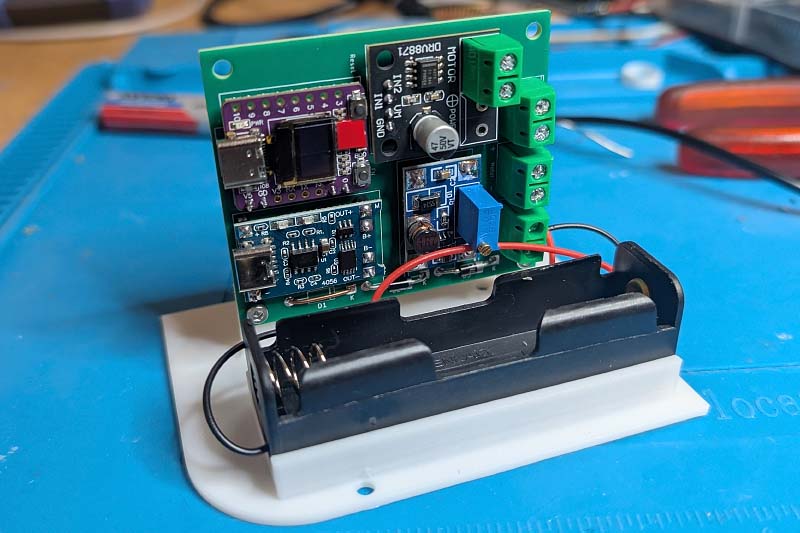
Fortunately, the case of these slave clocks has the same pins as the smaller model, so I can use the holder without modification. In the end, the controller with wiring looks like this:
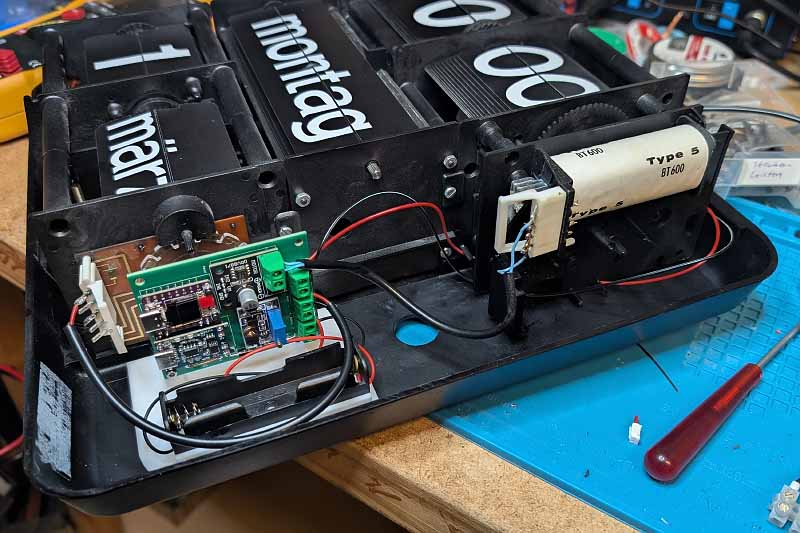
The power supply is again provided via the bracket on the back.
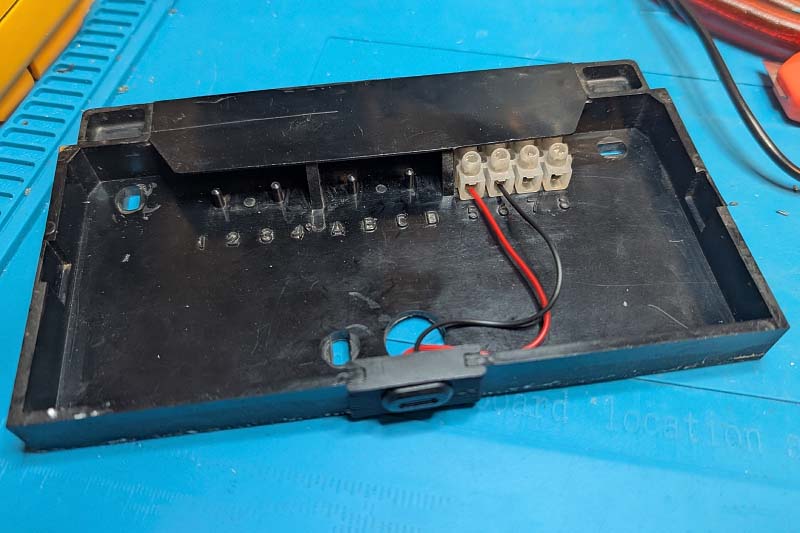
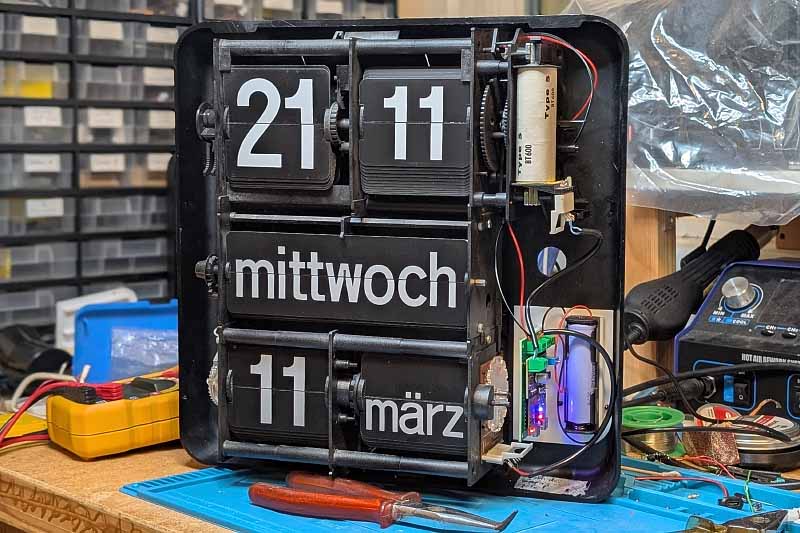
The finished setup looks like this. On the top right, you can see the supply lines from the back.
Commissioning
To put the Bodet BT 6.37 into operation, the day of the week and the date must first be set to the correct values. There are several levers in the clock for this purpose, which can be used to move the flaps.
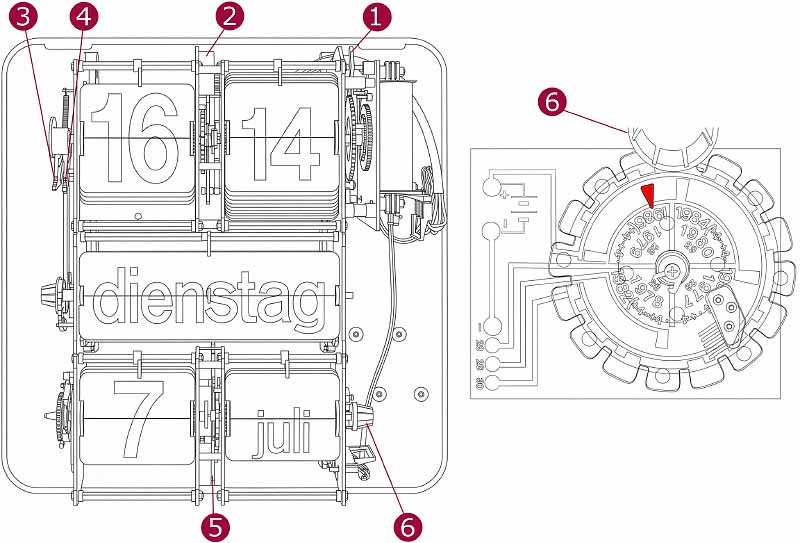
A specific sequence must be followed during setup:
- Set minutes to 00 using lever 1
- Set hours to 0 using lever 2
- Set the day of the week with lever 4
- Set the date to 1 with lever 3
- Set the month to the current month in the correct year using lever 5. You can either keep scrolling through the months until the year is also correct, or, while pressing lever 5, use lever 6 to rotate the year disc. The set year can be seen behind lever 6 and must be set according to the values on the disc (1977, 1978, 1979, 1980) so that the difference to the current year is a multiple of 4; for example, for 2026 = 1978 + 4 * 12.
- Now set the correct day with lever 3
- Set the hours with lever 2
- Set the minutes with lever 1
After these steps, the clock case can be closed, and the power supply can be connected via the USB plug on the back. I tried to show the whole process in a video, but as you can see, filming is not necessarily my strong suit::
In the next step, the clock is integrated into your own Wi-Fi. To do this, connect your smartphone to the Wi-Fi ESP32-WiFi-Provisioning. The provisioning page will then appear on your smartphone:
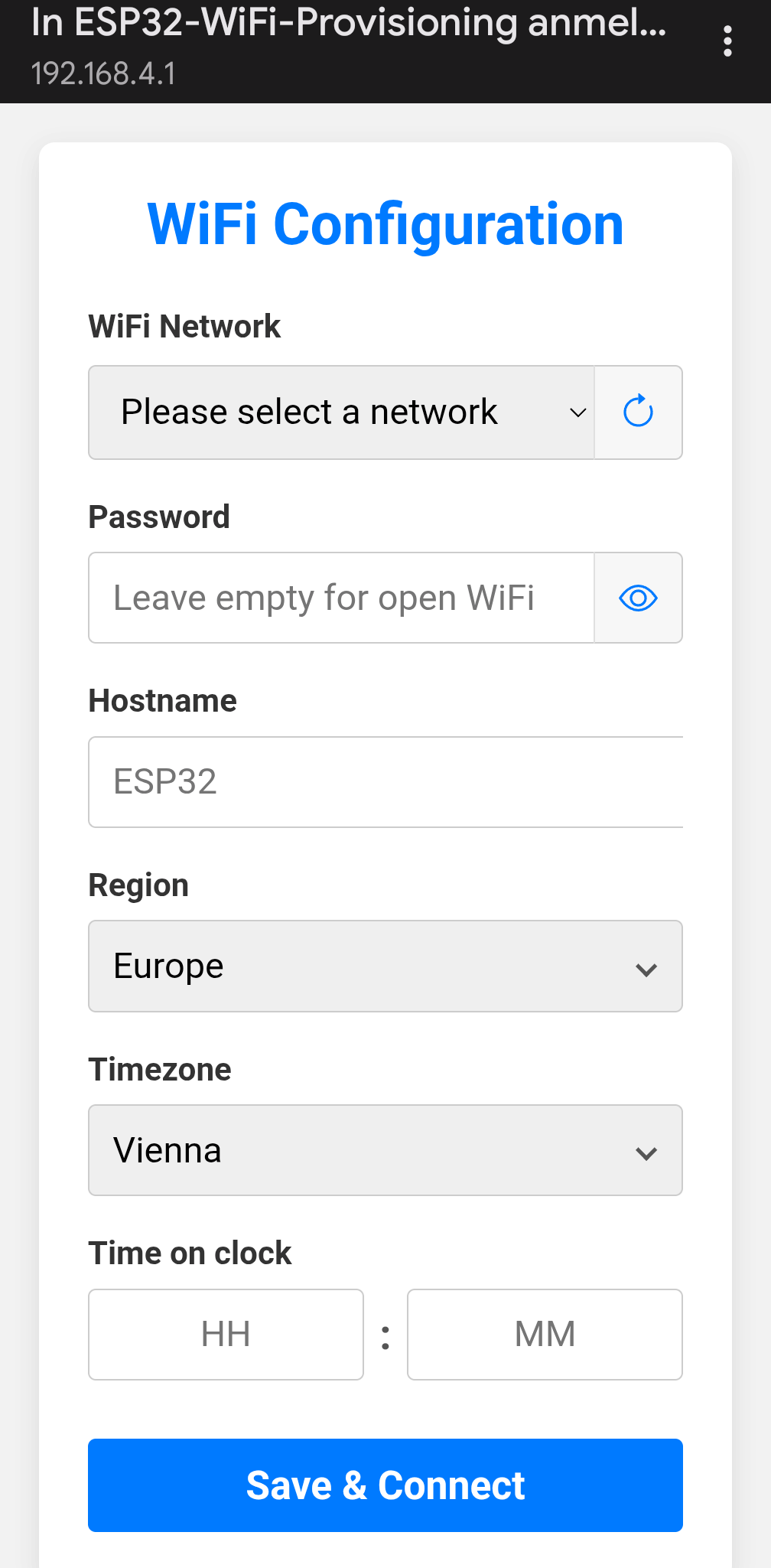
Here you select your Wi-Fi, enter the corresponding password, and the values for the hour and minute currently displayed on the flip clock. Under Hostname, you can enter the name under which the clock will appear in the Wi-Fi network. After clicking Save & Connect, the clock connects to the Wi-Fi, and after successful synchronization with a time server, the clock sets itself automatically. From now on, the clock is running. Since the power supply is buffered with a battery, you can easily place the clock where it is intended to hang in the future. Here is a video of that as well:
Conclusion
With this, the renovation of both clocks is complete. Originally, I had planned to brighten the somewhat yellowed case of the white clock with hydrogen peroxide, but on the one hand, I currently lack the sun for it, and on the other hand, the risk is too great for me. Both clocks are beautiful as they are, and the light patina simply shows that they already have a long history behind them.
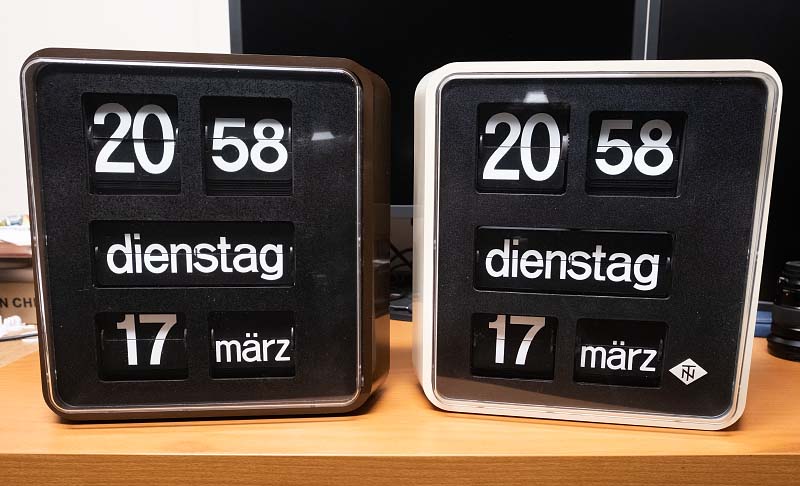
I think the chapter of flip clocks is now finally closed for me. The BT 6.37 is effectively the Holy Grail of Bodet clocks, and not much comes after that. Of course, there are also flip clocks from other manufacturers, such as the Solari Udine Dator 5, but the prices are extremely high and I don't actually like them as much. Besides, I already don't know where to put all these clocks anymore...